 WhatsApp
 Inquiry
 +91 8780928142
 +1 (415) 234 7510






























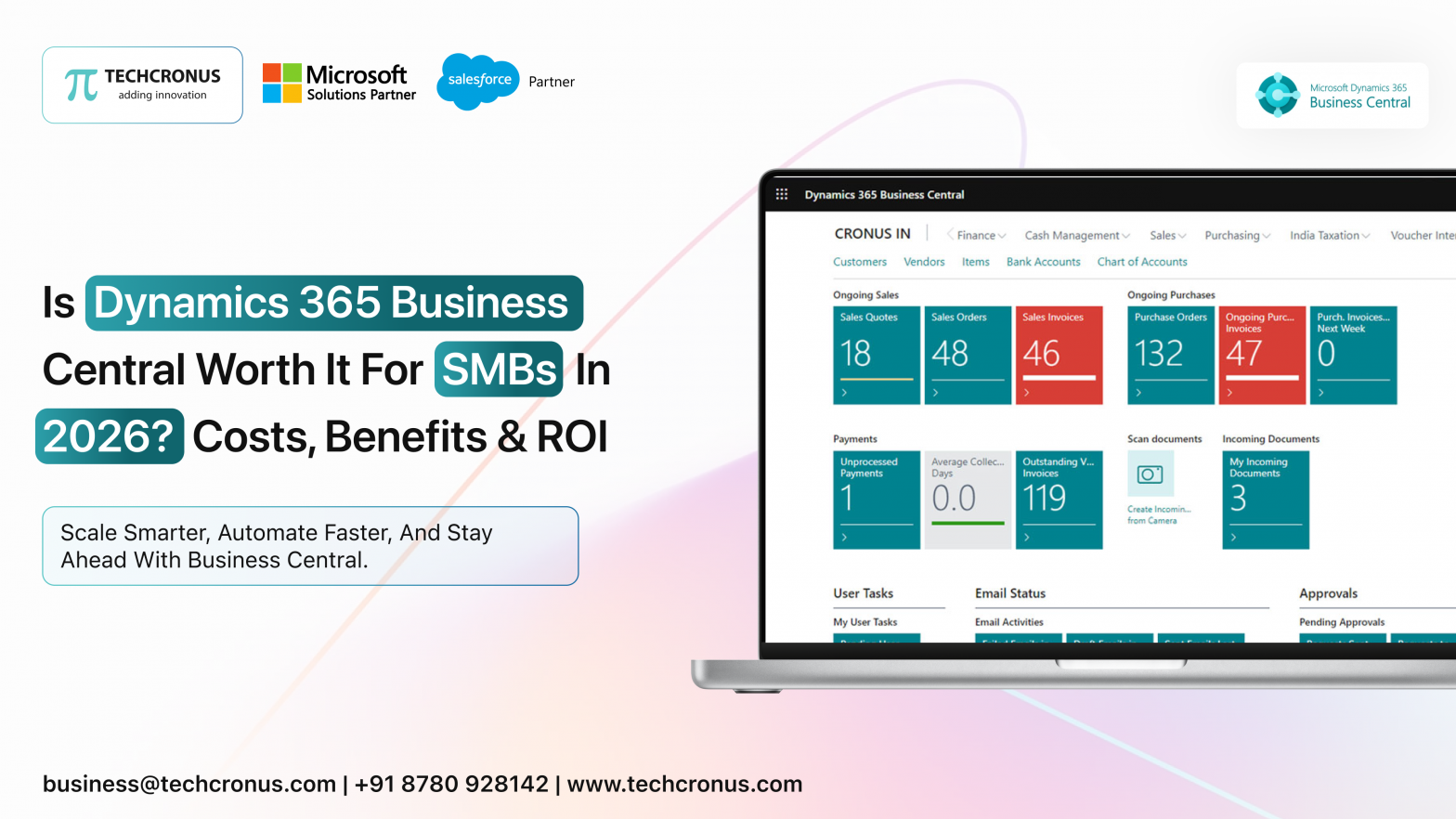
Table of Contents
Finding strong solutions that simplify operations, boost efficiency, and drive growth remains a top priority for businesses navigating today’s fast-changing technology landscape. Among ERP (Enterprise Resource Planning) platforms, Microsoft Dynamics 365 Business Central stands out as well-suited to the diverse and evolving needs of small and medium-sized businesses across industries. But before deciding to migrate or adopt a new ERP, companies must carefully weigh both the benefits and costs involved.
The Challenges SMBs Face with Legacy On-Premise ERPs
Small and medium-sized businesses operating on older, on-premises ERP systems often struggle with limitations that can stifle growth and agility:
Security Risks
- Older ERP systems frequently lack the latest security patches and features, making them vulnerable to cyber threats, data breaches, and compliance failures. Maintaining strong security on-premises can require substantial investment in infrastructure and personnel.
- Regulatory or compliance requirements, particularly for finance, data privacy, or industry-specific standards, become harder to meet with outdated systems.
Scalability & Flexibility Issues
- As businesses grow, old ERP systems often struggle to scale efficiently; adding more users or expanding operations can be costly and complicated.
- Legacy ERPs rarely offer the flexibility or customization modern businesses need. They’re typically inflexible, limiting a company’s ability to tailor workflows, integrate new tools, or respond quickly to changing business processes.
High Maintenance and Hidden Costs
- On-premises ERP systems carry ongoing costs: hardware maintenance, IT staff, upgrades, and license renewals. For SMBs, these costs can be a heavy burden, often disproportionate to their size or growth stage.
- Aging systems can become obsolete, making upgrades or replacements expensive. If businesses postpone upgrades, they risk inefficiency, security vulnerabilities, and competitive disadvantages.
Data Silos & Integration Limitations
- Many on-premise ERPs lead to fragmented data across departments, finance, sales, and supply chain, creating “data silos.” This fragmentation complicates decision-making and hampers collaboration.
- Integrating older ERP systems with modern tools (cloud, analytics, CRM, automation) is often difficult or unreliable, limiting a business’s ability to modernize operations or adopt newer technologies.
Inability to Adapt to Modern Work Needs
- As remote and hybrid work models become more common, legacy ERPs often fall short because they weren’t built with mobility, cloud access, or real-time collaboration in mind.
- Businesses lose agility and struggle to respond to market changes, new customer demands, or evolving internal processes.
Why Move to Cloud ERP: The Costs and Considerations
Migrating from an old, on-premises ERP to a cloud-based solution like Business Central involves several cost factors. To plan effectively, businesses need to account for both immediate and long-term expenses.
Direct Costs
- Subscription Fees: Business Central uses a per-user, per-month subscription model. As your user base grows, so do costs.
- Implementation & Customization Costs: Setting up Business Central involves configuration, customization to align with business processes, migrating data from old systems, and possibly integrating with other tools (CRM, inventory, reporting, etc.).
- Training Costs: Employees need training to effectively use the new system, whether via formal sessions, online courses, or consultant-led workshops.
- Data Migration Costs: Migrating legacy data, especially messy, inconsistent, or siloed, can require cleaning, transformation, and validation, which may involve external tools or consultancy.
Indirect Costs and Operational Considerations
- Change Management: Switching to a new ERP often means rethinking workflows, processes, and user roles. Organizations need to manage change carefully — both technically and culturally.
- Downtime Risk: During migration, companies may face periods of reduced productivity or limited access while data migration or system setup is in progress.
- Ongoing Support & Maintenance: Though cloud ERP reduces hardware burden, companies may still invest in support services, periodic updates, or custom development as business needs evolve.
The overall cost of migration depends heavily on factors such as business size, complexity of operations, level of customization, and existing IT infrastructure.
What Business Central Offers in 2025: Benefits & ROI Backed by Data
Despite the costs involved, there are compelling reasons many SMEs and mid-sized firms now choose Business Central, and recent research underscores real returns.
Strong ROI and Financial Upside
- A recent TEI (Total Economic Impact) study by Forrester Consulting, commissioned by Microsoft, found that companies migrating from on-premises ERP to Business Central achieved an average 265% Return on Investment (ROI) over three years. Their Net Present Value (NPV) was about US$529,000. For many companies, payback occurred in less than six months.
- Companies also saw significant savings by eliminating costs tied to hardware maintenance, IT infrastructure, and multiple legacy licenses expenses that often accumulate unnoticed under older systems.
Improved Operational Efficiency & Productivity Gains
- Business Central streamlines and centralizes finance, sales, inventory, supply chain, and operations into a unified platform, removing data silos and simplifying workflows.
- Through automation and modern cloud-based tools, companies have reported measurable productivity improvements: reductions in manual work, fewer errors, faster data reconciliation, and more efficient reporting.
- Thanks to built-in integrations with tools like Microsoft Power BI, Microsoft Power Automate, Microsoft Teams, and familiar apps like Excel and Outlook, organizations gain real-time visibility into business performance and can make more informed decisions.
Scalability, Flexibility, and Global Readiness
- Business Central is cloud-based, allowing businesses to scale up or down easily, adding users or expanding operations without the need for physical infrastructure.
- It supports multi-location operations, and with availability in many languages and countries, it helps businesses expand globally.
- Regular updates, automatic maintenance, and compliance support (delivered by the cloud provider) mean companies don’t have to worry about patching, hardware failures, or legacy-system risk.
Lower Total Cost of Ownership (TCO)
- Compared to on-premises ERPs, Business Central often offers a lower overall cost over time when accounting for infrastructure, maintenance, staff, and third-party tools.
- Many businesses see a reduction in IT overhead, fewer manual processes, and less need for external consultants, all contributing to long-term savings.
Is Business Central Right for You? When It Makes Sense and What to Watch Out For
Ideal Scenarios:
- Your business is growing, you need scalability, but don’t want to invest in heavy on-premises infrastructure.
- You require unified visibility across finance, inventory, sales, supply chain, and operations.
- You want to reduce manual tasks, increase automation, and improve operational efficiency.
- You operate across multiple regions or plan to expand globally, and need a flexible, cloud-ready ERP.
- You prefer predictable subscription-based costs over large upfront capital expenditure.
What to Watch For / Plan Carefully:
- Migration cost: data cleansing, migration, and integration can be complex; budget accordingly.
- Change management: employees need training; business processes may require redesign.
- Customization vs standardization: while Business Central is flexible, heavy customization can increase complexity and cost.
- Ongoing licensing costs as you add more users or modules, fees rise. That said, because ROI and operational gains are often substantial, many businesses recover costs quickly.
Conclusion: A Strategic Investment in Growth and Resilience
Migrating from a legacy, on-premises ERP to a cloud-based, modern solution like Microsoft Dynamics 365 Business Central is no longer just a “nice to have”; it’s a strategic move. With documented ROI of up to 265% over three years, fast payback (often under six months), and real gains in productivity, efficiency, and scalability, Business Central gives SMBs and mid-size enterprises the tools they need to operate smarter, scale faster, and respond to market changes.
If your company is looking for a trusted partner for ERP selection, migration, or customization, we provide global reach backed by deep Dynamics 365 expertise. Our team helps you make the transition smoothly and confidently. Contact us today to discuss your requirements and discover how we can deliver a tailored Dynamics 365 solution that aligns with your business goals.