+1 (415) 234 7510
 +971 52 901 6677
 +91 8780928142
 WhatsApp
 Email
Email



































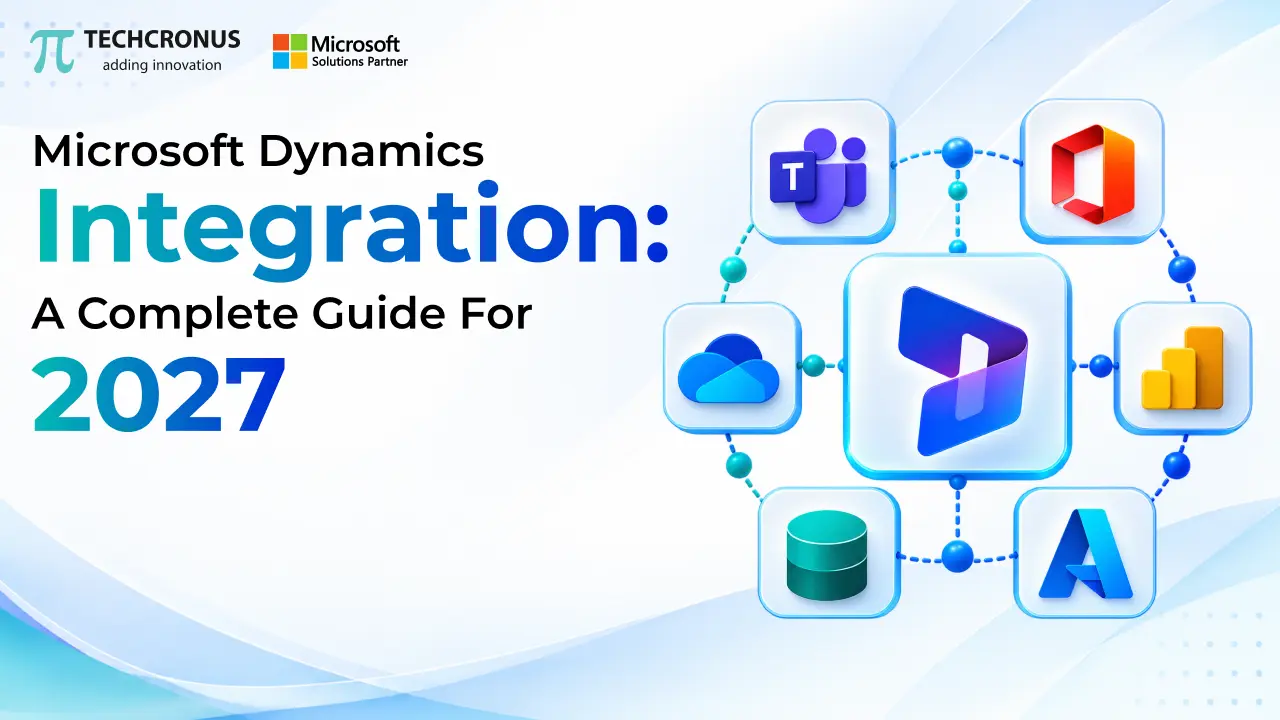
Table of Contents
Businesses today are facing the need for connected systems to handle customer relations, automate processes, enhance operational efficiency, and make informed decisions based on data. However, if departments use stand-alone applications, organizations may suffer from data silos, duplicate records, manual processes, and delayed reporting. Microsoft Dynamics integration can help businesses tackle these challenges by bringing business applications, databases, and third-party platforms together in one digital ecosystem.
Microsoft Dynamics 365 offers a full suite of business applications across the customer relationship management (CRM) and enterprise resource planning (ERP) space, as well as sales, customer service, finance, supply chain management, and more. These integrations, combined with Microsoft 365, Azure, and apps from other sources, enable businesses to build workflows that span departments and enhance collaboration between them.
This guide delves into the integration process with Microsoft Dynamics, its benefits, how it can be integrated, some of its uses, tips for implementation, and the trends that businesses can expect to encounter in 2027.
What is Microsoft Dynamics Integration?
Microsoft Dynamics integration refers to the process of linking Microsoft Dynamics 365 applications with other business systems, databases, and digital platforms to facilitate the seamless exchange of data and the automation of tasks.
For instance, an organization can connect Dynamics 365 Sales to an accounting system and synchronize customers, sales orders, invoices, and payments. So businesses can achieve accurate Inventory, faster order processing, and a seamless customer experience by integrating Dynamics 365 with an eCommerce platform.
Integration can be used to link multiple Microsoft applications like:
Dynamics 365 Customer Service and Sales.
Dynamics 365 Finance and Supply Chain Management
Microsoft Power Apps and Microsoft Power Automate.
Microsoft Power BI
Microsoft Teams and Microsoft SharePoint.
Microsoft Azure services
Third-party ERP, CRM, marketing and eCommerce applications.
By implementing an integration strategy that has been carefully planned, businesses can minimize manual processes, enhance data quality, and lay the groundwork for automation and artificial intelligence.
Microsoft Dynamics Integration is a game-changer in 2027. In 2027, Microsoft Dynamics Integration is no longer just a trend but a necessity.
There are various applications that are used by modern businesses in order to manage various aspects of the business. If there is no integration, workers might have to key the same data into multiple systems, which wastes time and introduces the risk of data inaccuracies.
Microsoft Dynamics integration solves these problems by providing a unified environment that enables data to flow from one application to another based on specific business rules.
Why Microsoft Dynamics Integration Matters in 2027
1. Centralized Business Data
Integration enables organizations to keep their customer data, product data, financial transactions, inventory, and sales activities in harmony across the different applications they are connected to. Consistent information is available to employees without having to navigate between separate platforms.
2. Improved Operational Efficiency
Automated Workflows remove repetitive processes, including transferring customer information, generating invoices, updating order statuses, and notifying customers. Staff will have more time to focus on strategic activities and less time on data entry.
3. Better Customer Experiences
Integrating CRM, marketing, sales, and customer service applications gives you a more holistic picture of the customer interaction. Teams can better answer questions, communicate with greater personalization, and better handle the resolution of problems with customers when they have context.
4. Real-time Reporting and Decision Making
By connecting operational data to Microsoft Power BI, companies can create dashboards, track KPIs, and identify trends. Depending on the integration architecture and refresh configuration, reporting can support near-real-time or scheduled insights.
5. Scalable Business Operations
A flexible integration architecture simplifies the integration of new systems into the overall technology landscape, making it easier for companies to grow into new markets, launch new products, and make new use of technology.
Common Microsoft Dynamics Integration Methods
The method of integration should be determined by the business requirements, amount of data, level of security, application capabilities, and the frequency of data exchange.
1. API-Based Integration
Application programming interfaces (APIs) allow Dynamics 365 to share information with third-party applications. Web API for supported applications is built into Microsoft Dataverse, and other Dynamics 365 workloads have their own integration interfaces.
API integration is beneficial for customer data synchronization, order data exchange, external portal integration, and custom business applications.
These integrations need to be designed with factors such as authentication, API limits, error handling, and data validation taken into consideration.
2. Microsoft Power Automate
Businesses can design automated workflows between Dynamics 365 and supported applications while requiring minimal custom coding using Power Automate.
For instance, a firm might set up a workflow that alerts a salesperson if a big lead is added to its CRM. An employee could also submit a business expense to create an approval request as another workflow.
Event-driven workflows, notifications, approvals, and mundane business process automation are especially useful areas to leverage Power Automate.
3. Azure Integration Services
Microsoft Azure offers integration capabilities for more complex enterprise requirements. Services such as Azure Logic Apps, Azure Service Bus, and Azure API Management can support application orchestration, asynchronous messaging, and API governance.
These technologies are valuable when businesses need to connect multiple enterprise systems, handle complex workflows, or support large-scale integration scenarios.
4. Data Integration and ETL Tools
Extract, Transform, Load (ETL) Processes assist organizations in moving and transforming data from one system to another. Use Azure Data Factory and other supported data integration tools for batch processing, data migration, and analytics pipelines.
It is an effective method when historical data needs to be migrated, when large amounts of data exist, for data warehouse integration, and for periodic synchronization.
5. Microsoft Dataverse Integration
Microsoft Dataverse is a structured data platform for supported applications in Microsoft Dynamics 365 and Power Platform. It assists organizations in dealing with business data, relationships, protection, and application logic.
Customer information can be shared, customized business applications can be integrated, automated workflows can be supported, and reporting can be met across interconnected solutions; all of these can be achieved through Dataverse-based integration.
This section covers some of the key use cases of Microsoft Dynamics Integration.
Microsoft Dynamics integration can be used in work processes related to various businesses and sectors.
Key Use Cases of Microsoft Dynamics Integration
Sales and Customer Relationship Management
Connecting Dynamics 365 Sales with marketing automation, communication platforms, and customer data systems allows sales teams to manage leads, track opportunities, and ensure accurate customer data.
By implementing Dynamics 365 crm solutions, organizations can enhance lead management processes, automate follow-ups, and empower sales teams with a more holistic perspective of customer interactions.
Finance and Accounting
Integrating Dynamics 365 Finance with accounting applications, banking systems, expense management platforms, and procurement tools helps to facilitate financial processes.
This can help businesses streamline their invoice processing, also help to sync transaction records, enhance reconciliation procedures, and produce uniform financial reports.
Supply Chain & Inventory Management
Dynamics 365 Supply Chain Management integration with warehouse systems, supplier platforms, and eCommerce applications helps ensure better visibility into inventory, procurement, and order fulfillment.
Inventories are an integral component of the supply chain.
The supply chain is a part of inventory management.
With better integration between Dynamics 365 Supply Chain Management, warehouse systems, supplier platforms, and eCommerce applications, there is increased visibility into inventory, procurement, and order fulfillment.
For instance, if one system updates the inventory, then the other system is updated in the same way, according to the design of the integration and the synchronization schedule.
Customer Service and Support.
Combining Dynamics 365 Customer Service with communication channels, knowledge bases, and ticketing systems enables support personnel to view pertinent customer details on the same platform.
This can streamline case routing, minimize response time, and make it easier for service representatives to resolve problems more quickly.
Apply Business Intelligence and Analytics. Use Business Intelligence and Analytics
By integrating Dynamics 365 data into Power BI and other analytics tools, businesses can track sales performance, customer satisfaction, operating expenses, and financial trends.
These insights can help business leaders recognize inefficiencies and make better decisions.
This guide helps you understand how to integrate Microsoft Dynamics with other applications by giving you best practices.
Best Practices for Microsoft Dynamics Integration
In order to be successful, you need to do more than just hook two applications together. Companies need to have a defined plan in place to deal with data quality, security, reliability, and sustainability.
1. Define Business Objectives
Determine processes that need improvement first, prior to choosing the integration technologies. Identify the primary objective – either data synchronisation, workflow automation, reporting, enhancing the customer experience, or system modernisation.
Defining clear goals allows teams to focus on integrations and evaluate their success.
2. Audit Existing Systems
Assess existing applications, databases, data formats, APIs, and workflows. Identify duplicate records, outdated information, unsupported interfaces, and potential compatibility issues.
This assessment is useful to avoid unforeseen issues in the implementation process.
3. Establish Data Governance
Establish ownership of types of information and how records are matched and resolved in the event of conflict. Implement uniform naming conventions, validation rules, and data access procedures.
The consistent data quality within applications that are integrated is achieved by having a clear data governance framework.
4. Prioritize Security and Compliance
Apply appropriate authentication, role-based access controls, encryption, and secure credential management. Implement “need-to-know” with applications and users only having access to what they need.
The organizations also need to take into account relevant privacy laws, audit requirements, and data residency requirements.
5. Test Before Deployment
Test integrations prior to releasing in production. Confirm standard processes, transaction failures, duplicate records, performance, permissions, and recovery processes.
Integrations with high data loads or those that power critical business operations are particularly important for load testing and monitoring.
6. Make plans for Monitoring and Maintenance
Integrations do need constant care and attention, as APIs, applications, business rules, and security evolve. Set up logging, alerting on errors, retries, and operational dashboards as applicable.
Another option businesses can consider is to invest in Dynamics 365 support services to ensure the integration’s reliability, troubleshoot problems, optimize performance, and manage deployments.

How to Choose the Right Microsoft Dynamics Integration Partner
Selecting the right Microsoft Dynamics Integration Partner can be a daunting task. Choosing the right Microsoft Dynamics Integration Partner can be a very challenging process.
Partnering with a proven integration solution provider can mitigate risks during implementation and deliver solutions that enable businesses to continue to evolve over time.
Research a provider who has real-world experience with the Dynamics 365 applications, API development, Power Platform, Azure integration services, data migration, and enterprise security.
A seasoned Microsoft Dynamics partner will know your business workflows, know what the options are for integration, know how long it will take, and have technical support to help you through the process.
It is also important for businesses to consider how well the provider has experience in their specific industry, their project approach, their communication style, and their capacity to help the system with some upgrades down the road.
For businesses that require location-specific expertise, such as Microsoft Dynamics 365 implementation in New York or a [Microsoft Dynamics 365 partner in Texas] service, regional availability, collaboration, or business needs can be a critical factor.
A specialized Dynamics 365 consultancy can evaluate current systems, outline integration architecture, prioritize business needs, and create a transformation strategy for digitalization.
Prior to picking up a partner, ask for case studies, talk about support plans, and define measurable project outcomes.
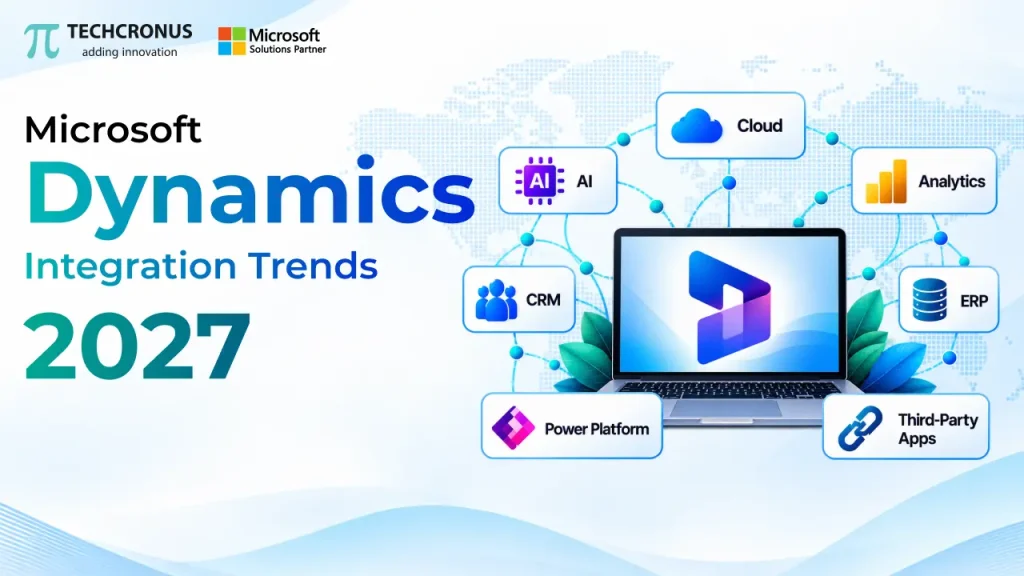
Microsoft Dynamics Integration Trends to Watch in 2027
There are several key trends that Microsoft Dynamics will follow in 2027. Microsoft Dynamics is set to follow several key trends in 2027.
There are a number of technology trends that are influencing the way organizations approach Dynamics 365 integration. There are a number of technology trends that are influencing the way organizations approach Dynamics 365 integration.
AI for business automation: AI tools are being utilized in workflows, intelligent document processing, and AI agents for repetitive business tasks.AI for business automation: AI tools are being used for workflows, intelligent document processing, and AI agents for repetitive tasks. The key to effective implementation is due permissions, reliable data, human oversight, and governance.
Low-Code Integration: The Power Platform tools allow business teams and developers to automate processes and integrate supported applications with ease while preserving the proper level of governance.
Cloud integration architectures: Cloud services offer flexible ways to integrate distributed systems, process data, and scale integration workloads.
Real-time and event-driven data exchanges: Companies are looking for real-time access to operational data. Delayed messaging and carefully crafted synchronization processes can be minimized with connected systems if they support it.
Improved security and governance: Integrations are growing, and identity management, access control, auditability, data protection, and monitoring are becoming increasingly important.
Businesses can benefit from these trends by implementing them strategically, ensuring that they do not add to the complexity of their systems.
Conclusion
In 2027, Microsoft Dynamics integration plays a vital part in digital transformation. Linking Dynamics 365 to CRM, ERP, analytics, productivity, and third-party software allows businesses to achieve more consistent data, streamline repetitive tasks, deliver better customer experiences, and provide more visibility into business operations.
To gain these benefits, effective planning, the right technologies for integration, robust security measures, and ongoing monitoring are necessary. The first step for organizations is to identify their most critical business challenges, analyze current systems, and choose an integration architecture that can grow with the organization.
This can be smoother with the help of a skilled Microsoft Dynamics integration partner who can facilitate the adoption of sustainable solutions and equip businesses for future growth and innovation through AI.
To learn more about your Microsoft Dynamics integration needs and gain insights on how Techcronus can help you seamlessly integrate applications, streamline workflows, and create a scalable digital ecosystem, contact us today. Check out the Techcronus website for its Microsoft Dynamics 365 business technology solutions.